Coaches and spaces double-book
A coach is free and a cage is free, but not at the same time as someone else's rental. Checking both by hand is where mistakes happen.
Sports facility scheduling software
Sports facility scheduling software decides what time is actually open: it checks coach availability, space availability, rentals, closures, and booking windows before a customer can reserve. CoachCore turns that into one online reservation flow with payment attached, so a facility calendar does not end in a double-booked cage.
The scheduling problem
A coach is free and a cage is free, but not at the same time as someone else's rental. Checking both by hand is where mistakes happen.
Holiday hours, maintenance, a team rental, a tournament weekend. If the public calendar does not know, customers book time you cannot give them.
Regulars expect to book further ahead than walk-ins, and standing weekly time is a reason to hold a membership. A flat calendar cannot do that.
What it should include
A lesson tied to a space is checked against that space's rentals and blocks, and against the coach's availability and existing sessions.
Set regular facility hours and per-space weekly availability, then add date-specific hours for holidays and events.
Block one space or the whole facility. Public-facing closures hide time from customers, while hard closures apply to everyone.
Set how many days ahead each group can book. Defaults are 7 days for the public and 30 days for members, and you can change both.
Eligible members can hold the same space weekly. Occurrences are created on a rolling basis with a cap on how many future bookings are held at once.
Customers reserve and pay in one flow, within the rental length rules you set: minimum, maximum, and time increment.
Inside the facility dashboard
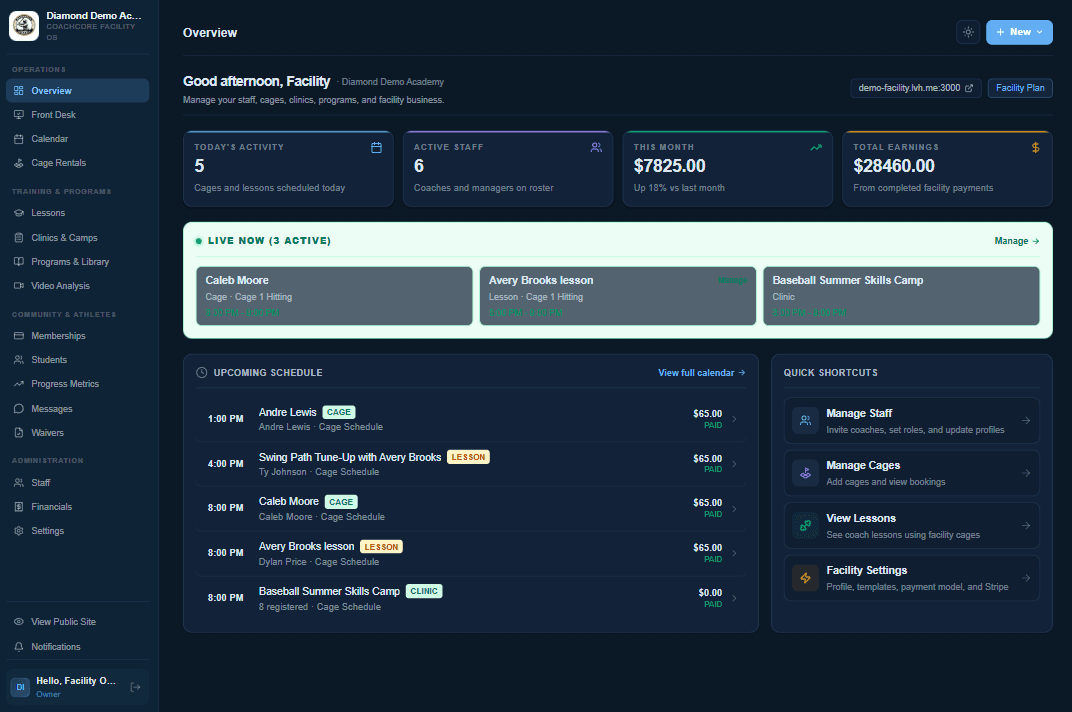
At a glance
CoachCore is sports coaching and facility management software for independent coaches, sports academies, and training facilities. Its scheduling covers coach availability, bookable spaces, rentals, and member rules, with payment taken at booking.
A generic scheduler knows a person is free. CoachCore knows the coach is free, the space is open, the facility is not closed, the customer's booking window allows it, and the payment is attached.
Scheduling that gets paid
A calendar that is separate from payment creates unpaid holds. CoachCore ties reservations to payment, with a configurable grace period for recurring bookings.
Staff can reschedule from the facility calendar, check customers in, and handle walk-ins from the same system customers book in.
Start a facility trialCompare
Scheduling for a facility is a set of rules, not just a time picker.
| Rule | CoachCore | Shared calendar | Enterprise facility software |
|---|---|---|---|
| Coach and space conflicts | Checked at booking | Manual | Included |
| Operating and special hours | Included | Manual blocks | Included |
| Closures and maintenance | Public and hard closures | Manual blocks | Included |
| Member booking windows | Configurable | No | Varies |
| Recurring weekly reservations | Members, with caps | Manual | Included |
| Payment tied to booking | Included | Separate | Included |
| Best fit | Owner-run facilities | A very small operation | Large multi-location operators |
Related pages
FAQ
It checks each request against everything that could occupy the time: other rentals, coach lessons assigned to the space, closures, and the hours you set for the space and the facility. Time that is taken is not shown as open.
Yes. You set separate windows for each group. Defaults are 7 days for the public and 30 days for members, and both can be changed.
Yes. Eligible members can reserve the same space weekly. Bookings are created on a rolling basis, with a cap on how many future bookings are held at once.
Yes. Block a single space or the whole facility for a date and time range, and set special hours for specific dates. Public closures hide the time from customers; hard closures apply to everyone.
For a facility, yes. Reservations, payment, memberships, and customer records live in one system instead of a calendar link, a payment app, and a spreadsheet kept in sync by hand.
Recurring bookings that are not covered by included sessions are created as pending with a payment deadline. The grace period is configurable, and unpaid bookings are cancelled when it expires.
Set your hours, closures, and booking windows once, and let the calendar enforce them.
Facility plan: $150/mo for up to 5 coaches, then $10/mo for each additional coach.